


Find Memories on Facebook In 2026
Want to revisit your old Facebook posts, photos, and life events? Facebook’s Memories feature lets you relive moments from previous years in just a few taps. Here’s how to find and manage your Facebook Memories on Android, iPhone, and desktop.
It’s easy to locate every moment of your life from when you’ve made your profile. The “Memories” feature lets you view your story and post, which you posted a long time ago.
Facebook has divided memories into four main categories:
- On This Day
- Friends Made On This Day
- Recaps Of memories
- Memories You May Have Missed
Each category has different types of memories, so you can find what you exactly need easier. Let’s find your memories with this cool Facebook (Now known as Meta) feature.
How to see Facebook Memories on Android and iPhone
You can easily find and view memories from both Android and iPhone. Follow the steps below to do it.
- Open the Facebook app and if you are not logged in to your account, log in using Email or Phone Number and Password.
- Tap on three horizontal lines. As per the current app version feature, these three lines are located at the upper right corner of the screen.
- Select “Memories” to see your Facebook Memories.
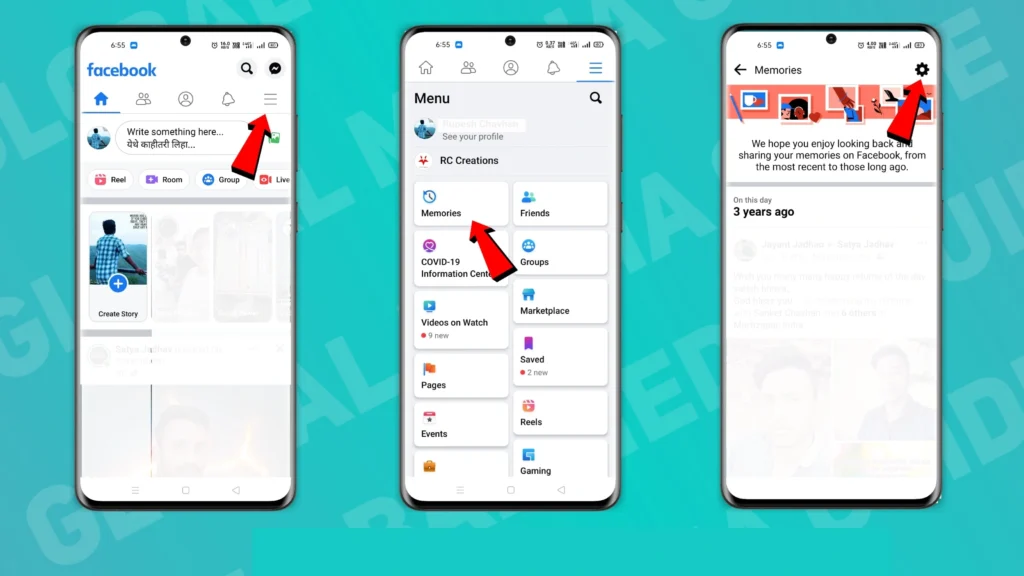
Now Facebook will show all your posts, stories, etc., from this day for past years. You can also customize the notification of Facebook memories by tapping on the “Gear” (⚙️) icon at the upper right corner of the screen.
Related Article: How To Make a Public Profile on Snapchat
How to see Facebook Memories on Desktop
You can view your Facebook Memories on Desktop too, and to do it; you need to follow the steps given below.
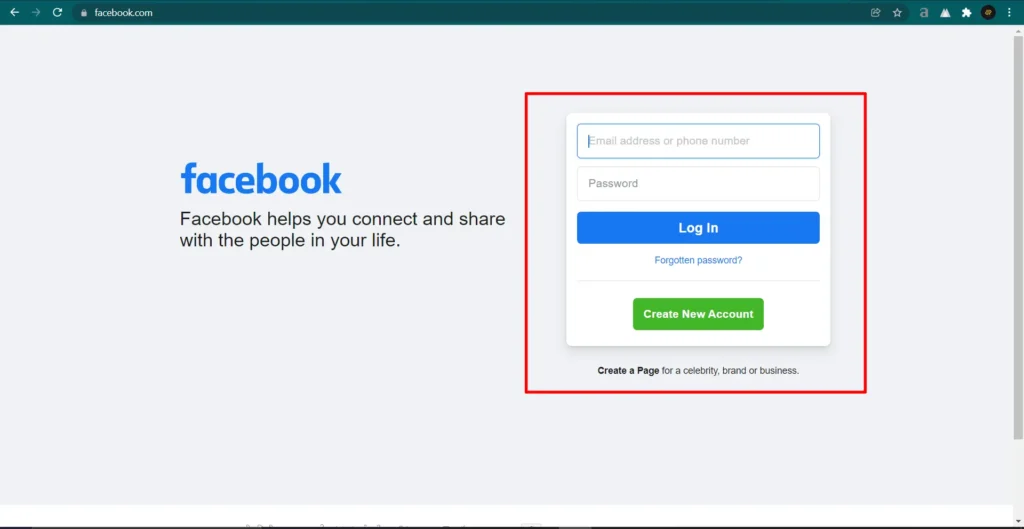
- Go to facebook.com and log in to your account with your Email or Phone Number and Password.
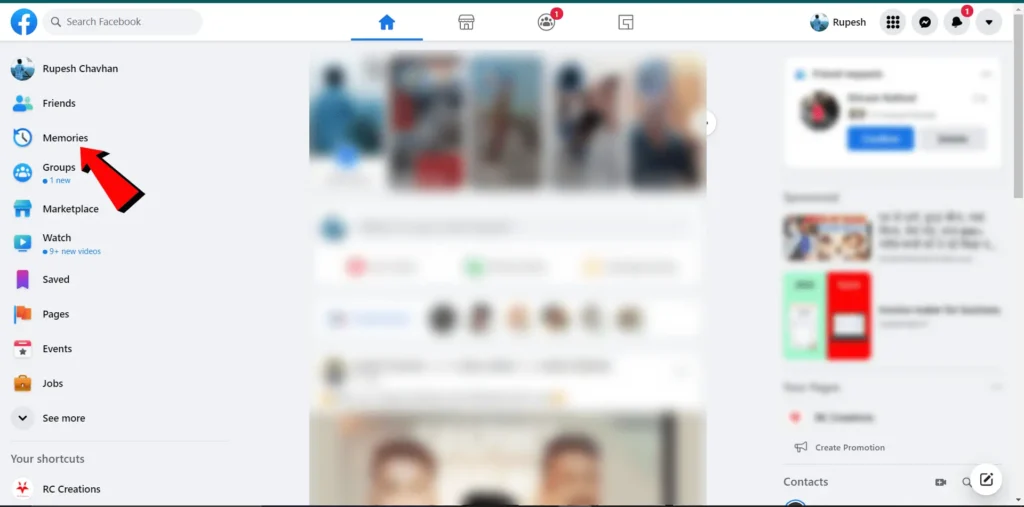
- In the left sidebar, you will get the “Memories” section (If the “Memories” section is not available in the left sidebar, then click on the “See More.” You will get the “Memories” section below).
- Click on the “Memories” section to view your memories. Facebook will show all your memories on this day that year.
💡Tip: You can also visit the Memories page directly if you’re already logged in to Facebook.
You can also go on facebook.com/memories to view your memories. This will directly take you to the memories page. This method only works when you have already logged into this desktop. Otherwise, you need to log in first to see your memories.
The Facebook Memories feature is one of the best features as it reminds you of past friends and events. Hopefully, this article will help you reach your old memories. If you have any queries regarding this topic, please let us know in the comment box below.
Frequently Asked Questions
How do I find Facebook Memories?
To find your Facebook Memories, open the Facebook app, tap the Menu icon, and select Memories. On a computer, you can access Memories from the left sidebar or search for “Memories” within Facebook if the option isn’t visible.
Why can’t I see my Facebook Memories?
If you can’t see your Facebook Memories, it could be because you don’t have any memories for that date, your Memories notifications are turned off, you’re using an outdated version of the Facebook app, or Facebook is experiencing a temporary issue. Updating the app and checking your notification settings often helps.
Can I view Facebook Memories on a computer?
Yes. You can view your Facebook Memories by logging into Facebook on your web browser and opening the Memories section from the menu. If you don’t see it, use Facebook’s search feature to find the Memories page.
Can I turn off Facebook Memories?
Yes. Facebook lets you control your Memories notifications. Open the Memories page, tap the Settings (⚙️) icon, and choose whether you want to receive notifications for All Memories, Highlights, or None.
Yes. If Facebook shows you a memory, you can share it on your timeline, in your Stories, or with specific friends by tapping the Share button available on the memory.
Can I delete a Facebook Memory?
You can’t delete a Memory itself because it’s automatically created from your previous activity. However, you can delete or change the privacy of the original post, photo, or video, and it will no longer appear as a Memory.
Can I hide memories with certain people or dates?
Yes. Facebook allows you to hide memories related to specific people or dates. Go to the Memories settings, choose Hide People or Hide Dates, and select the people or date ranges you don’t want to see in future Memories.
How often does Facebook show Memories?
Facebook usually displays Memories that happened on the same date in previous years. You may also occasionally see recap videos, friendship anniversaries, and other special moments based on your Facebook activity.
[…] Related Article: How to Find Memories on Facebook […]